
Merge design and code with Penpot: Merge design and code with Penpot sethkenlon Tue, 01/31/2023 – 09:00
For most of the history of computer programming, there’s been a gap between the programmers creating an application’s code and the designers creating an application’s user experience (UX. The two disciplines receive vastly different training, and they use a different set of tools. Programmers use a text editor or an IDE to write code, while designers often draw concepts of widget layout and potential interactions. While some IDEs, like Eclipse and Netbeans, have interface design components, they’re usually focused on widget position and not on widget design. The open source design app Penpot is a collaborative design and prototyping platform. It has a suite of new features that make it easy for designers and developers to work together with familiar workflows. Penpot’s design interface lets developers write code in harmony with the design process like no other tool does. And it’s come a long way since Opensource.com last looked at it. Its latest features don’t just improve your experience with Penpot, they propel the open source Penpot app past similar and proprietary tools.
Prototyping with Penpot
One of the common problems with trying to design how an application might work best is that, at the time of designing, the application doesn’t exist yet. A designer can visualize and storyboard to help both the design team and the programmer understand what to aim for. But it’s a process that requires iteration and feedback as developers start to implement UX concepts, and designs change to react to the reality of code.
With Penpot, you can create a “working” prototype of your web or mobile application. You can connect buttons with specific actions, triggering changes in layout based on user input. And this can all be done before any code for the project exists.
The most important aspect of this isn’t the ability to do a mock-up, though. Everything done in Penpot for an app’s design has usable layout data that developers can use in the final project. Penpot isn’t just a great drawing and layout tool. It informs the coding process.
Rather than providing just a visual list of designer-specific elements, like properties, colors, and typography, Penpot now integrates code output directly into the design workspace (like developer tools in a web browser). Designers and developers share the same space for design and front-end development, getting specifications in whatever format they need.
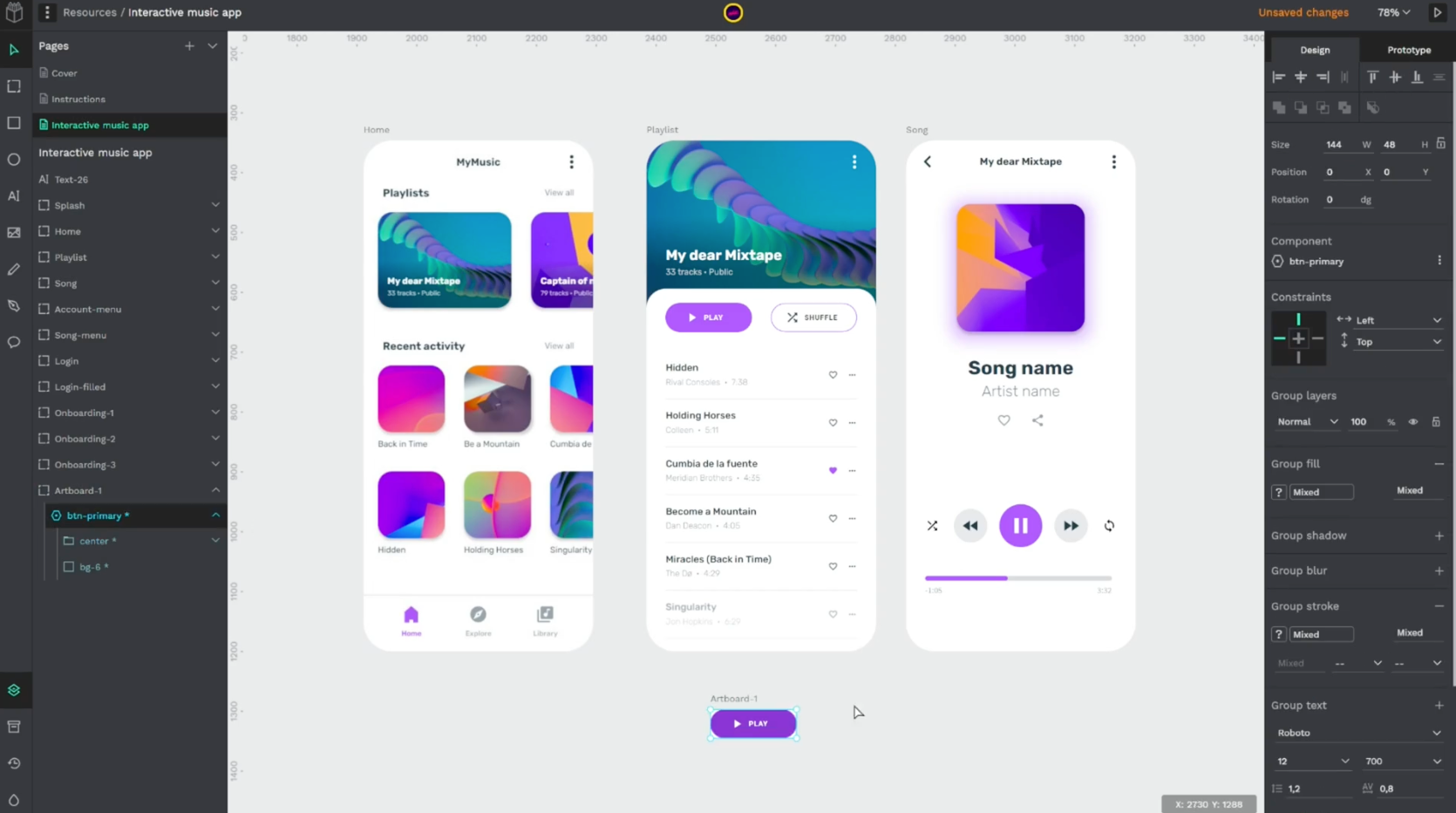
(Andrey Antukh, CC BY-SA 4.0)
Memory unlock
Many online design tools use proprietary technology to provide some fancy features, but at the price of essentially becoming an application, you don’t run so much as access through a browser. Penpot uses open web standards, though, and is rendered by your web browser. That means Penpot has access to the web browser’s maximum available memory, which makes Penpot the first online prototype and layout application with design scalability. You can provide more options, more mock-ups, and more pitches. Plus, you can open your design space to more concurrent collaborators with no fear of running out of application memory.
Self-hosting and SaaS
Penpot is open source, so you don’t have to use it on the cloud if that doesn’t fit your workflow. You can self-host Penpot easily in a container, using it as a local application on your own workstation or hosting it for your organization on your own server.
Open source design
I’ve written an introductory article to Penpot previously, and since then the application has only gotten better. If you’re looking to bring coders and stakeholders into your design process, then give Penpot a try.
Bridge the gap between programming and design with Penpot, an open source design workspace.

Opensource.com
 This work is licensed under a Creative Commons Attribution-Share Alike 4.0 International License.
: Opensource.com sethkenlon
Supporting Open Source.
Have you tried: Sailing in Africa ?