
Make a web-safe color guide with Bash: Make a web-safe color guide with Bash Jim Hall Thu, 04/06/2023 – 03:00
When computer displays had a limited color palette, web designers often used a set of web-safe colors to create websites. While modern websites displaying on newer devices can display many more colors than the original web-safe color palette, I sometimes like to refer to the web-safe colors when I create web pages. This way I know my pages look good anywhere.
You can find web-safe color palettes on the web, but I wanted to have my own copy for easy reference. And you can make one too, using the for loop in Bash.
Bash for loop
The syntax of a for loop in Bash looks like this:
for variable in set ; do statements ; done
As an example, say you want to print all numbers from 1 to 3. You can write a quick for loop on the Bash command line to do that for you:
$ for n in 1 2 3 ; do echo $ n ; done 1 2 3
The semicolons are a standard Bash statement separator. They let you write multiple commands on a single line. If you were to include this for loop in a Bash script file, you might instead replace the semicolons with line breaks and write out the for loop like this:
for n in 1 2 3 do echo $ n done
I like to include the do on the same line as the for so it’s easier for me to read:
for n in 1 2 3 ; do echo $ n done
More than one for loop at a time
You can put one loop inside another. That can help you to iterate over several variables, to do more than one thing at a time. Let’s say you wanted to print out all combinations of the letters A, B, and C with the numbers 1, 2, and 3. You can do that with two for loops in Bash, like this:
#!/bin/bash for number in 1 2 3 ; do for letter in A B C ; do echo $ letter$ number done done
If you put these lines in a Bash script file called for.bash and run it, you see nine lines showing the combinations of all the letters paired with each of the numbers:
$ bash for.bash A1 B1 C1 A2 B2 C2 A3 B3 C3
Looping through the web-safe colors
The web-safe colors are all colors from hexadecimal color #000 (black, where the red, green, and blue values are all zero) to #fff (white, where the red, green, and blue colors are all at their full intensities), stepping through each hexadecimal value as 0, 3, 6, 9, c, and f.
You can generate a list of all combinations of the web-safe colors using three for loops in Bash, where the loops iterate over the red, green, and blue values.
#!/bin/bash for r in 0 3 6 9 c f ; do for g in 0 3 6 9 c f ; do for b in 0 3 6 9 c f ; do echo "#$ r$ g$ b" done done done
If you save this in a new Bash script called websafe.bash and run it, you see an iteration of all the web safe colors as hexadecimal values:
$ bash websafe.bash | head #000 #003 #006 #009 #00c #00f #030 #033 #036 #039
To make an HTML page that you can use as a reference for web-safe colors, you need to make each entry a separate HTML element. Put each color in a
#!/bin/bash for r in 0 3 6 9 c f ; do for g in 0 3 6 9 c f ; do for b in 0 3 6 9 c f ; do echo "#$ r$ g$ b" done done done
When you run the new Bash script and save the results to an HTML file, you can view the output in a web browser to all the web-safe colors:
$ bash websafe.bash > websafe.html
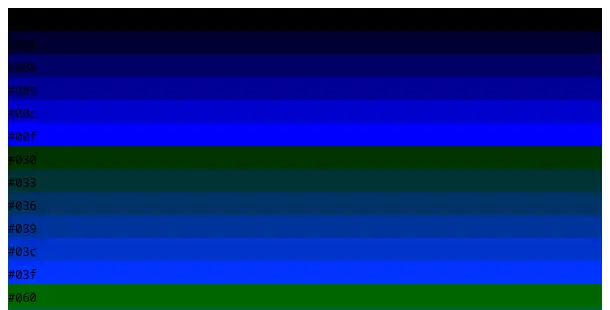
(Jim Hall, CC BY-SA 4.0)
The web page isn't very nice to look at. The black text on a dark background is impossible to read. I like to apply some HTML styling to ensure the hexadecimal values are displayed with white text on a black background inside the color rectangle. To make the page look really nice, I also use HTML grid styles to arrange the boxes with six per row and some space between each box.
To add this extra styling, you need to include the other HTML elements before and after the for loops. The HTML code at the top defines the styles and the HTML code at the bottom closes all the open HTML tags:
#!/bin/bash cat< Web-safe colors EOF for r in 0 3 6 9 c f ; do for g in 0 3 6 9 c f ; do for b in 0 3 6 9 c f ; do echo "#$ r$ g$ b" done done done cat<