• Skip to main content
  • Skip to after header navigation
  • Skip to site footer

Free-Mail

  • Events
  • Images
    • Instagram Goodness
  • Music
  • News
  • Software

How to change colors and themes in Vim

How to change colors and themes in Vim: 4 different color terminal windows with code
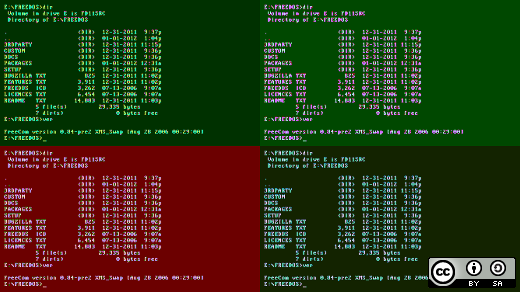
Vim is a free and open source text editor that functions much like other text editors, such as Sublime and Notepad++. Vim can operate from a command-line interface (CLI) or a graphical user interface (GUI). This article explains how to change the colors and themes of your Vim CLI in Linux.

This GIF demonstrates how convenient it is to use Vim from the command line to edit a code file.

read more: Opensource.com rsmith

Supporting Open Source.

Have you tried: Sailing in Africa ?

Share this:

  • Share on Facebook (Opens in new window) Facebook
  • Share on X (Opens in new window) X
  • Share on Pinterest (Opens in new window) Pinterest
  • Email a link to a friend (Opens in new window) Email
  • More
  • Share on Tumblr (Opens in new window) Tumblr
  • Print (Opens in new window) Print
  • Share on LinkedIn (Opens in new window) LinkedIn
  • Share on Reddit (Opens in new window) Reddit
Published on 9 December 2019 by Alan Category: SoftwareTag: change, Colors, Themes

Tony Cox [Video]

A Tony Cox video production – Tony Cox: at his christmas program 2007 Get WP Robot for …

Read moreTony Cox [Video]

Matshikos-I dont Know [Video]

A Matshikos video production – Matshikos-I dont Know: From the album Happy Man by Penwell …

Read moreMatshikos-I dont Know [Video]

Inaugural Renishaw Solstice Race Attracts Hundreds of Athletes to Scottburgh

Scottburgh’s first-ever Renishaw Solstice Race was a resounding success, with more than 400 runners …

Read moreInaugural Renishaw Solstice Race Attracts Hundreds of Athletes to Scottburgh

About Alan

Previous Post:Gympie – House Concert
Next Post:I Hate Mondays

Reach Trust

Reach Trust is a holding trust for a number of companies within the Stratlec Group.

Copyright © 2026 · Free-Mail · All Rights Reserved · Powered by Straton Electrical

Back to top