
 |
| Image: Halide |
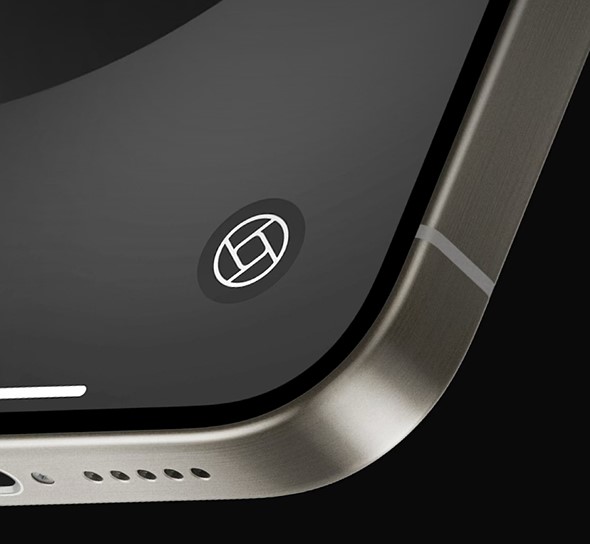
It’s now even easier to replace your iPhone’s default camera app with Halide, a third-party option that offers advanced camera features, such as manual shutter speed and ISO control, histograms and even a mode that claims to strip away almost all of Apple’s AI image processing. Halide’s 2.16 update, out today, lets you add it as a control on your lock screen, which means you can use it to take pictures without unlocking your phone.
Recent Videos
Previously, Apple’s default camera app was the only one you could use without entering your passcode or using biometric authentication such as FaceID or TouchID. That gave it a speed advantage over third-party options.
Apple used to add an extra step if you wanted to use a third-party camera app
Halide and apps like it could provide lock screen widgets that live under the clock, but unlike the shortcuts at the bottom of the screen, those would only work after you’d unlocked your phone. The tiny bit of extra time and friction could be the difference between getting the shot and missing it, and that’s the problem Halide’s latest update lets you sidestep.
The one catch is that you’ll have to update to the brand-new iOS 18 to get this functionality. Once you’re running the latest OS and have downloaded the new Halide update, you can long-press on your lock screen, then press the ‘Customize’ button. From there, tap your lock screen again, then tap the remove button on whichever shortcut you’d like to replace with Halide. (Camera and Flashlight are the default shortcuts.) It should now be a blank ‘+’ button that you can tap to bring up the Controls selector, which you can use to select Halide from the Capture section.
 |
| Selecting Halide from the Capture section will let you launch it straight from the lock screen. |
After doing this, you’ll be able to jump straight to Halide from the lock screen without having to authenticate with your passcode or biometrics (though you’ll still have to unlock your phone if you want to do anything else with it). You can also still access the default camera app from the lock screen by swiping left from the right edge of the screen.
If Halide isn’t your preferred camera app, fear not; other developers should also be able to implement this feature, providing they update their apps for iOS 18.
While the lock screen shortcut is the fastest way to access the camera on Apple’s current phones, that will change with the upcoming iPhone 16 and 16 Pro, which include a dedicated ‘Camera Control’ that will launch the camera. While Apple has said that you’ll be able to use the button’s touch sensitivity in third-party apps to adjust various settings, it’s currently unclear whether you’ll be able to launch those apps with it as well. If Apple only allows you to launch its app with the control, it would put the stock app back on top, at least in terms of how fast you can open it.
You can download Halide via the App Store. It costs $19.99 a year, or $2.99 a month, and is also available as a $59.99 one-time purchase.

Our DPREVIEW Tribute:
After nearly 25 years of operation, DPReview closed on 10 April 2023. This difficult decision was part of the annual operating plan review that parent company, Amazon, shared earlier this year.
Over the course of 25 years, DP Review built up a reputation as being one of the most informative places to go for information about that new camera or lens you’re after. DP Review began as an independent reviews site based in the UK in 1998, the brainchild of Philip and Joanna Askey, but it was eventually purchased by Amazon in 2007 and relocated over to Seattle in the USA in 2010.
Cheers DPReview – thanks for the great work and content that guided photographers, videographers and techno junkies the world over!