
Explaining Git branches with a LEGO analogy: Explaining Git branches with a LEGO analogy Seth Kenlon Sat, 04/09/2022 – 03:00
Creating a new branch in a code repository is a pretty common task when working with Git. It’s one of the primary mechanisms for keeping unrelated changes separate from one another. It’s also very often the main designator for what gets merged into the main branch.
Without branches, everything would either have to be cherrypicked, or else all your work would be merged effectively as a squashed rebase. The problem is, branches inherit the work of the branch from which they’re forked, and that can lead to you accidentally pushing commits you never intended to be in your new branch.
The solution is to always fork off of main (except when you mean not to). It’s an easy rule to say, but unfortunately it’s equally as easy to forget, so it can help to look at the reasoning behind the rule.
A branch is not a folder
It’s natural to think of a Git branch as a folder.
It’s not.
When you create a branch, you’re not creating a clean environment, even though it might seem like you are. A branch inherits all of the data that its parent contains. If the parent branch is the main branch, then your new branch contains the common history of your project. But if the parent branch is another branch off of main, then your new branch contains the history in main plus the history of the other branch. I often think in terms of LEGO bricks, so here’s a visual example that isn’t one of those complex Git node graphs (but actually is, secretly).
Say your main branch is a LEGO plate.
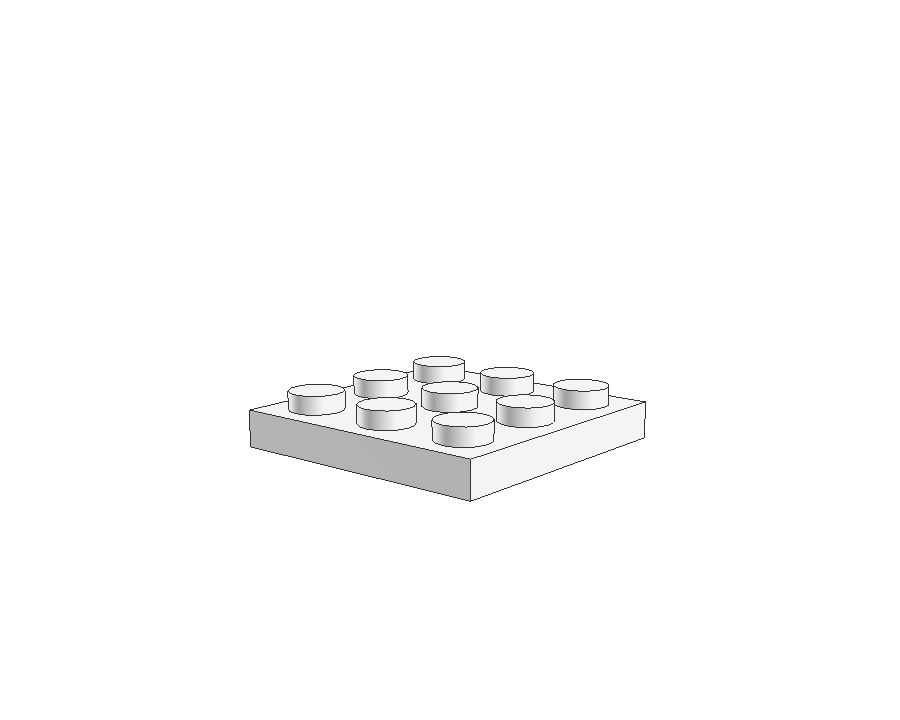
(Seth Kenlon CC BY-SA 4.0)
?
When you create a branch off of main, you add a brick. Suppose you add a branch called blue.
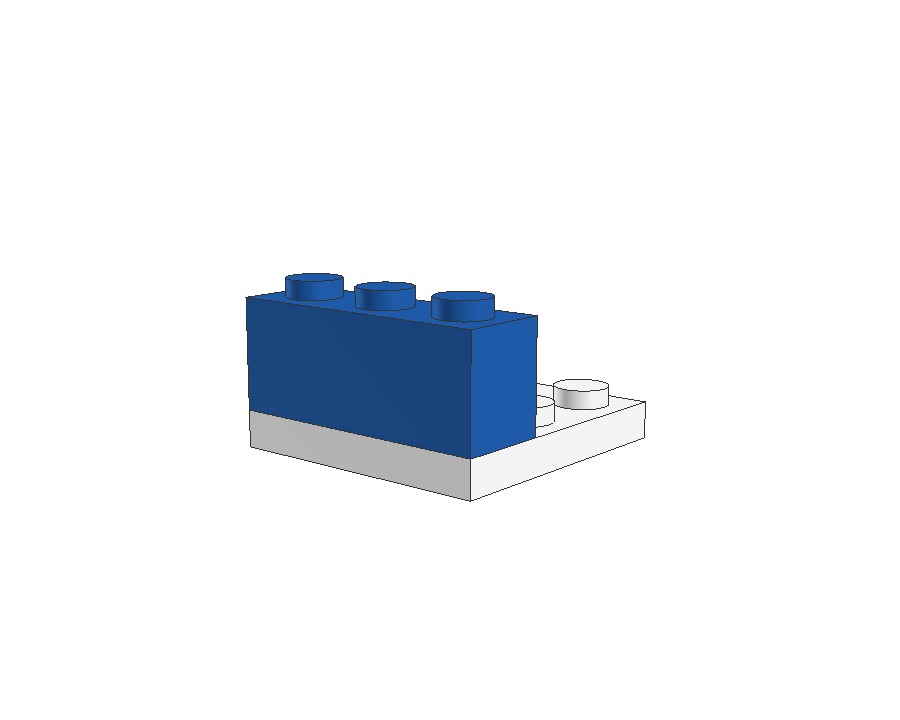
(Seth Kenlon BY-SA 4.0)
The blue branch contains the history of the base plate plus whatever work you do on blue. In code, this is what’s happened so far:
 $   git branch
* main
 $   git checkout -b blue
Branch of a branch
If you create yet another branch while you’re still in your blue branch, then you’re building on top of main as well as blue. Suppose you create a branch called red because you want to start building out a new feature.
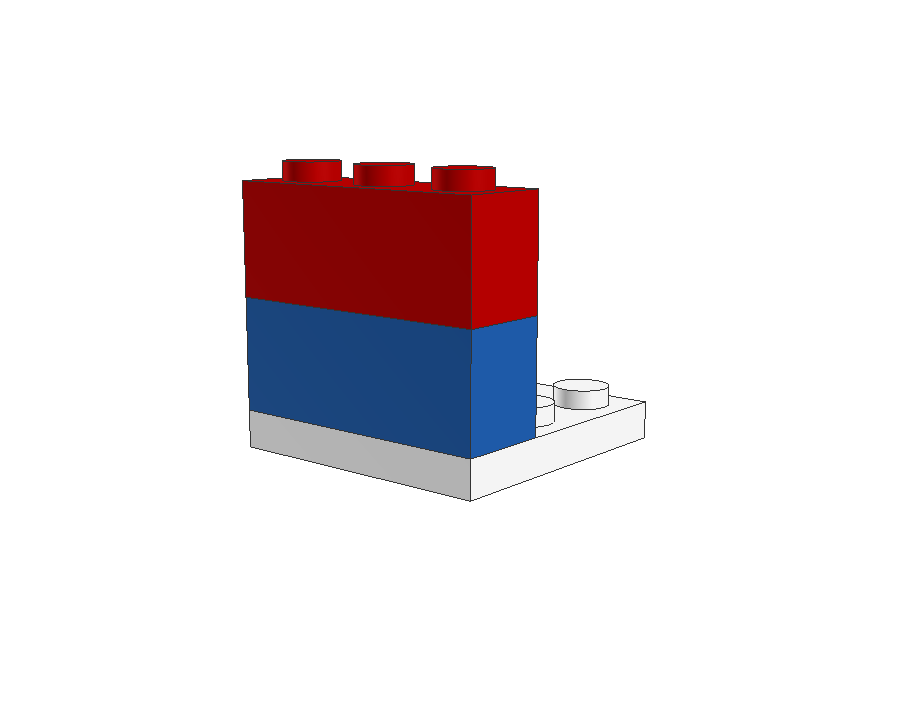
(Seth Kenlon CC BY-SA 4.0)
There’s nothing inherently wrong with this, as long as you understand that your red branch is built on top of blue. All the work you did in the blue branch also exists in red. As long as you didn’t want red to be a fresh start containing only the history of your main branch, this is a perfectly acceptable method of building your repo. Be aware, though, that the project owner isn’t able to, for instance, accept the red changes without also accepting a bunch of blue changes, at least not without going to a lot of trouble.
Clean break
If what you actually want to do is to develop blue and red as separate features so that the project owner can choose to merge one and not the other, then you need the two branches to both be based only on main. It’s easy to do that. You just checkout the main branch first, and then create your new branch from there.
 $   git branch
* blue
 main
 $   git checkout main
 $   git checkout -b red
Here’s what that looks like in LEGO:
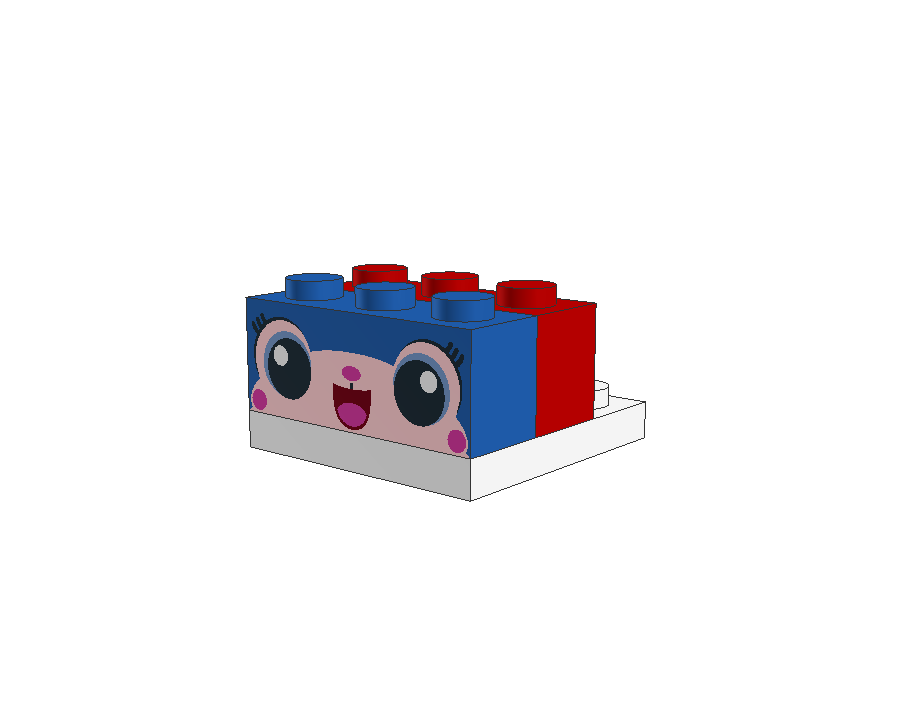
(Seth Kenlon CC BY-SA 4.0)
Now you can deliver just blue to the project owner, or just red, or both, and the project owner can decide what to attach to main on the official repository. Better still, both blue and red can be developed separately going forward. Even if you finish blue and it gets merged into main, once the developer of red merges in changes from main then what was blue becomes available to new red development.
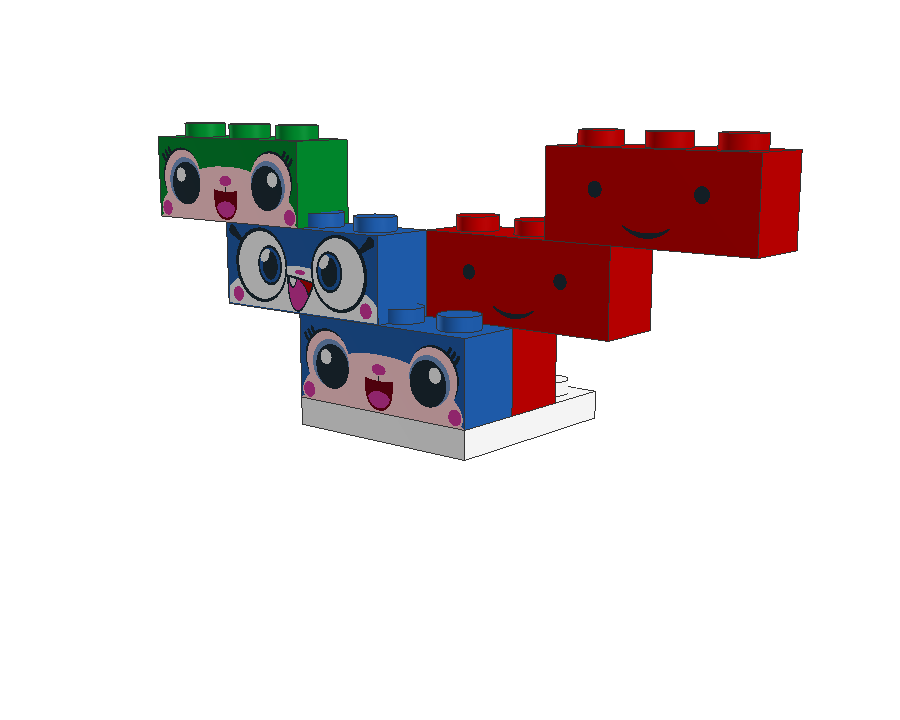
(Seth Kenlon CC BY-SA 4.0)
Branch example
Here’s a simple demonstration of this principle. First, create a Git repository with a main branch:
 $   mkdir example
 $   cd example
 $   git init -b main
Populate your nascent project with an example file:
 $   echo "Hello world" > example.txt
 $   git add example.txt
 $   git commit -m 'Initial commit'
Then checkout a branch called blue and make a silly commit that you don’t want to keep:
 $   git checkout -b blue
 $   fortune > example.txt
 $   git add example.txt
 $   git commit -m 'Unwisely wrote over the contents of example.txt'
Take a look at the log:
 $   git log --oneline
 ba9915d Unwisely wrote over the contents of example.txt
 55d4811 Initial commit
First, assume you’re happy to continue developing on top of blue. Create a branch called red:
$ git checkout -b red
Take a look at the log:
 $   git log --oneline
 ba9915d Unwisely wrote over the contents of example.txt
 55d4811 Initial commit
Your new red branch, and anything you develop in red, contains the commit you made in blue. If that’s what you want, then you may proceed with development. However, if you intended to make a fresh start, then you need to create red off of main instead.
Now checkout your main branch:
$ git checkout main
Take a look at the log:
 $   git log --oneline
 55d4811 Initial commit
Looks good so far. The blue branch is isolated from main, so it’s a clean base from which to branch in a different direction. Time to reset the demo. Because you haven’t done anything on red yet, you can safely delete it. Were this happening in real life and you’d started developing on red, then you’d have to cherrypick your changes from red into a new branch.
This is just a demo, though, so it’s safe to delete red:
$ git branch -D red
Now create a new branch called red. This version of red is intended as a fresh start, distinct from blue.
 $   git checkout -b red
 $   git log --oneline
 55d4811 Initial commit
Try making a new commit:
 $   echo "hello world" >> example.txt
 $   git add example.txt
 $   git commit -m 'A new direction'
Look at the log:
 $   git checkout -b red
 $   git log --oneline
 de834ff A new direction
 55d4811 Initial commit
Take one last look at blue:
 $   git checkout blue
 $   git log --oneline
 ba9915d Unwisely wrote over the contents of example.txt
 55d4811 Initial commit
The red branch has a history all its own.
The blue has a history all its own.
Two distinct branches, both based on main.
Fork with care
Like many Git users, I find it easier to keep track of my current branch by using a Git-aware prompt. After reading Moshe Zadka’s article on it, I’ve been using Starship.rs and I’ve found it to be very helpful, especially when making lots of updates to a packaging project that requires all merge requests to contain just one commit on exactly one branch.
With hundreds of updates being made across 20 or more participants, the only way to manage this is to checkout main often, pull, and create a new branch. Starship reminds me instantly of my current branch and the state of that branch.
Whether you fork a new branch off of the main branch or off of another branch depends on what you’re trying to achieve. The important thing is that you understand that it matters where you create a branch. Be mindful of your current branch.
Use this helpful LEGO analogy to understand why it matters where you branch in Git.
 This work is licensed under a Creative Commons Attribution-Share Alike 4.0 International License.
: Opensource.com Seth Kenlon
Supporting Open Source.
Have you tried: Travelling to South Africa?