
Create a JavaScript API in 6 minutes: Create a JavaScript API in 6 minutes Jessica Cherry Mon, 07/18/2022 – 03:00
This article demonstrates creating a base API with Express and JavaScript. Express is a NodeJS minimalist web framework. This combination allows for minimal effort to get an API up and running at the speed of light. If you have six minutes of free time, you can get this API working to do something useful.
Get started with NodeJS
What you need for this project is the NodeJS version of your choice. In this example, I use NodeJS and HTTPie for testing, a web browser, and a terminal. Once you have those available, you’re ready to start. Let’s get this show on the road!
Set up a project directory and install the tools to get started:
$ mkdir test-api
The npm init command creates the package JSON for our project below. Type npm init and press enter several times. The output is shown below:
 $   npm init

 Press ^C at any time to quit.
 package name: (test-api)
 version: (1.0.0)
 description:
 entry point: (index.js)
 test command:
 git repository:
 keywords:
 author:
 license: (ISC)
 About to write to /Users/cherrybomb/test-api/package.json:

 {
   "name": "test-api",
   "version": "1.0.0",
   "description": "",
   "main": "index.js",
   "scripts": {
     "test": "echo \"Error: no test specified\" && exit 1"
   },
   "author": "",
   "license": "ISC"
 }


 Is this OK? (yes)
This utility walks you through creating a package.json file. It only covers the most common items, and tries to guess sensible defaults. See npm help init for definitive documentation on these fields and exactly what they do.
Use npm install {pkg} afterward to install a package and save it as a dependency in the package.json file.
Next, install Express using the npm CLI:
 $   npm install express Output shown below

 npm WARN cherrybomb No description
 npm WARN cherrybomb No repository field.
 npm WARN cherrybomb No license field.

 + express@4.18.1
 added 60 packages from 39 contributors and audited 136 packages in 4.863s

 16 packages are looking for funding
   run `npm fund` for details

 found 0 vulnerabilities
Finally, create your source directory and your index.js file, which is where the application code lives:
 $   mkdir src
 $   touch src/index.js
Time to code!
Code an API
For your first act of coding, make a simple “hello world” API call. In your index.js file, add the code snippet below:
 const express = require('express')
 const app = express()
 const port = 5000

 app.get('/', (req, res) => {
   res.send('Hello World!')
 })

 app.listen(port, () => {
   console.log(`Example app listening on port $  {port}`)
 })
Each of these constant variables is available in the scopes below. Because you’re not using the following scopes within the code, these constants are used without too much extra thought.
When you call app.get, you define the GET{rest article needed} endpoint to a forward slash. This also sets the “hello world” response.
Finally, in the last section, you will start your app on port 5000. The output on your terminal shows your defined message in a file called console.log.
To start your application, run the following command, and see the output as shown:
 $   test-api ? node ./src/index.js
 Example app listening on port 5000
Test the API
Now that everything is up and running, make a simple call to ensure your API works. For the first test, just open a browser window and navigate to localhost:5000.
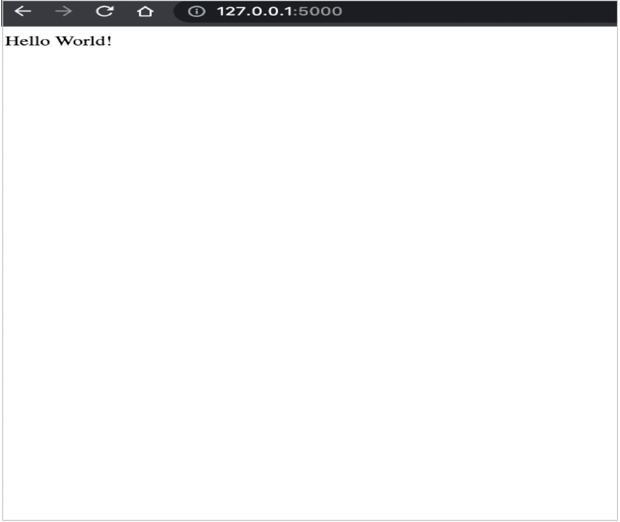
(Jessica Cherry, CC BY-SA 4.0)
Next, check out what HTTPie says about the API call:
 HTTP/1.1 200 OK
 Connection: keep-alive
 Content-Length: 12
 Content-Type: text/html; charset=utf-8
 Date: Tue, 21 Jun 2022 14:31:06 GMT
 ETag: W/"c-Lve95gjOVATpfV8EL5X4nxwjKHE"
 Keep-Alive: timeout=5
 X-Powered-By: Express

 Hello World!
And there you have it! One whole working API call. So what’s next? Well, you could try some changes to make it more interesting.
Make your API fun
The “hello world” piece is now done, so it’s time to do some cool math. You’ll do some counts instead of just “hello world.”
Change your code to look like this:
 const express = require('express')
 const app = express()
 const port = 5000

 let count = 0;

 app.get('/api', (req, res) => {
 res.json({count})
 })

 app.post('/api', (req, res) => {
 ++count;
 res.json({count});
 });

 app.listen(port, () => {
 console.log(`Example app listening on port $  {port}`)
 })
Aside from a GET command in your code, you now have a POST to make some changes to your count. With count defined as 0, the LET command allows changes to the COUNT variable.
In app.get, you get the count, and in app.post, you ++count, which counts upwards in increments of 1. When you rerun the GET, you receive the new number.
Try out the changes:
 test-api ? node ./src/index.js
 Example app listening on port 5000
Next, use HTTPie to run the GET and POST operations for a test to confirm it works. Starting with GET, you can grab the count:
 test-api ? http GET 127.0.0.1:5000/api
 HTTP/1.1 200 OK
 Connection: keep-alive
 Content-Length: 11
 Content-Type: application/json; charset=utf-8
 Date: Tue, 21 Jun 2022 15:23:06 GMT
 ETag: W/"b-ch7MNww9+xUYoTgutbGr6VU0GaU"
 Keep-Alive: timeout=5
 X-Powered-By: Express

 {
     "count": 0
 }
Then do a POST a couple of times, and watch the changes:
 test-api ? http POST 127.0.0.1:5000/api
 HTTP/1.1 200 OK
 Connection: keep-alive
 Content-Length: 11
 Content-Type: application/json; charset=utf-8
 Date: Tue, 21 Jun 2022 15:28:28 GMT
 ETag: W/"b-qA97yBec1rrOyf2eVsYdWwFPOso"
 Keep-Alive: timeout=5
 X-Powered-By: Express

 {
     "count": 1
 }


 test-api ? http POST 127.0.0.1:5000/api
 HTTP/1.1 200 OK
 Connection: keep-alive
 Content-Length: 11
 Content-Type: application/json; charset=utf-8
 Date: Tue, 21 Jun 2022 15:28:34 GMT
 ETag: W/"b-hRuIfkAGnfwKvpTzajm4bAWdKxE"
 Keep-Alive: timeout=5
 X-Powered-By: Express

 {
     "count": 2
 }
As you can see, the count goes up! Run one more GET operation and see what the output is:
 test-api ? http GET 127.0.0.1:5000/api
 HTTP/1.1 200 OK
 Connection: keep-alive
 Content-Length: 11
 Content-Type: application/json; charset=utf-8
 Date: Tue, 21 Jun 2022 15:29:41 GMT
 ETag: W/"b-hRuIfkAGnfwKvpTzajm4bAWdKxE"
 Keep-Alive: timeout=5
 X-Powered-By: Express

 {
     "count": 2
 }
The end and the beginning
I specialize in infrastructure and Terraform, so this was a really fun way to learn and build something quickly in a language I’d never used before. JavaScript moves fast, and it can be annoying to see errors that seem obscure or obtuse. I can see where some personal opinions have judged it harshly as a language, but it’s a strong and useful tool. I hope you enjoyed this walkthrough and learned something new and cool along the way.
Express yourself by coding a fun API using Express, a NodeJS minimalist web framework.

Ray Smith
 This work is licensed under a Creative Commons Attribution-Share Alike 4.0 International License.
: Opensource.com Jessica Cherry
Supporting Open Source.
Have you tried: Diving with Sharks?