
Automate and manage multiple devices with Remote Home Assistant: Automate and manage multiple devices with Remote Home Assistant Kevin Sonney Tue, 05/03/2022 – 03:00
Automation is a hot topic right now. In my day job as an SRE part of my remit is to automate as many repeating tasks as possible. But how many of us do that in our daily, not-work, lives? This year, I am focused on automating away the toil so that we can focus on the things that are important.
There are a lot of guides out there on Setting Up Home Assistant, but what if you have multiple Home Assistant installations (like I do), and want to display and control them all from a single, central Home Assistant?
There is an amazing add-on called Remote Home Assistant (https://github.com/custom-components/remote_homeassistant) that makes this an absolute breeze. And it really helps me manage and automate things without having to set up any complex software (although I have done this with MQTT in the past — it was a challenge).
(Kevin Sonney, CC BY-SA 40)
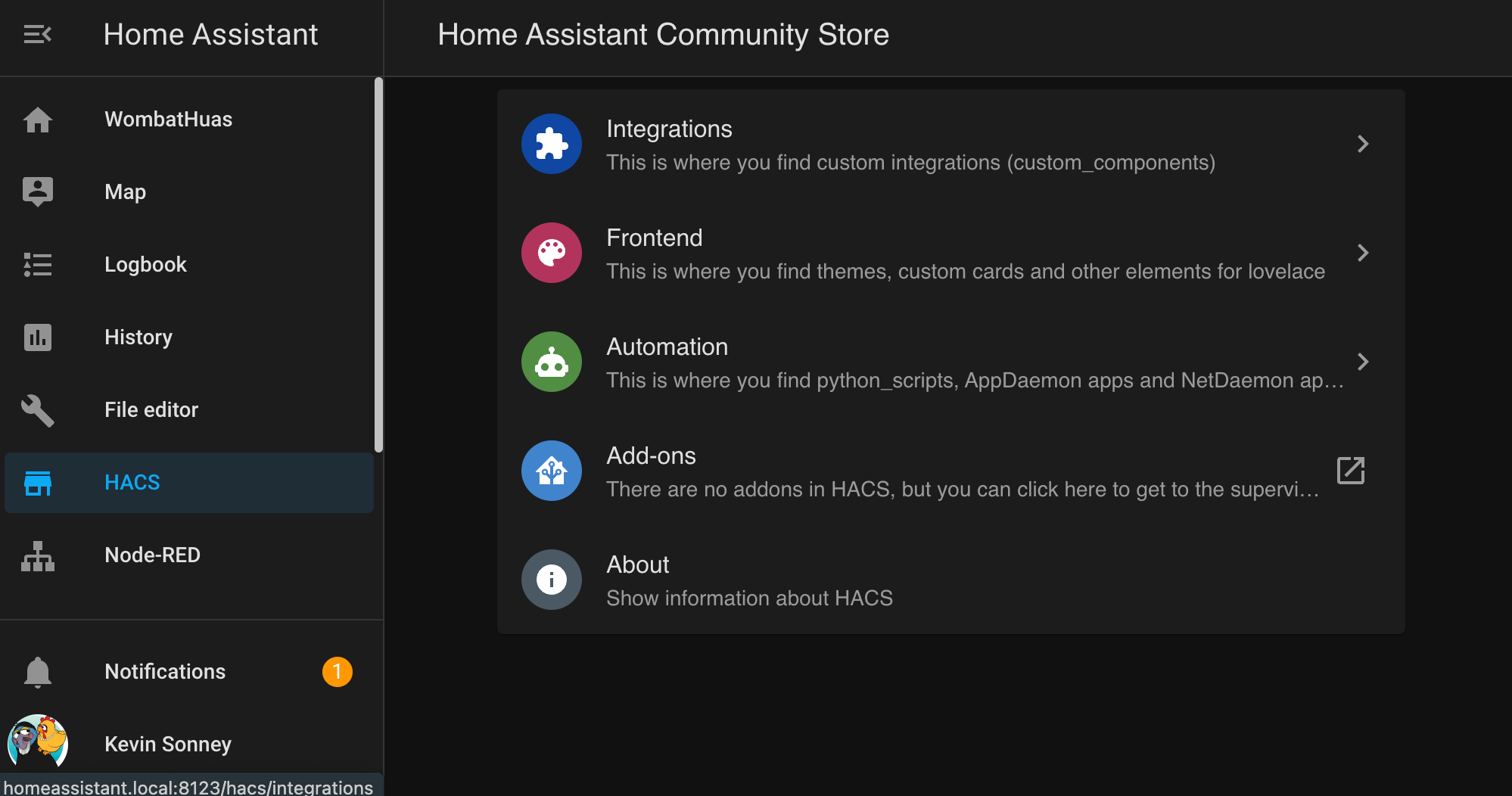
The easiest way to set up Remote Home Assistant is to install the Home Assistant Community Store (HACS) on both HASS installations. HACS is an absolutely massive collection of third-party add-ons for Home Assistant. The instructions are very straight forward, and cover most use cases — including using Home Assistant OS (which is my central node), and Home Assistant Core (one of my remote nodes). It installs as a new Integration, so you can add it like any other integration. You must be able to log into GitHub for HACS to work, but HACS walks you through that as part of the configuration flow. After it’s complete, it loads all the known add-on repositories. To see the status of it, click the new HACS option in the navigation menu on the left.
(Kevin Sonney, CC BY-SA 40)
Select Integrations and search for Remote Home Assistant when it has completed loading all the store information. Install the add-on with the Install button, and restart Home Assistant. When the restart is complete, you have a new custom integration available, which can be added like any other.
On the remote node (“lizardhaus”), you need to generate a long-lived token, and then add the Remote Home Assistant integration. Select Setup as remote node and that’s all you need to do.
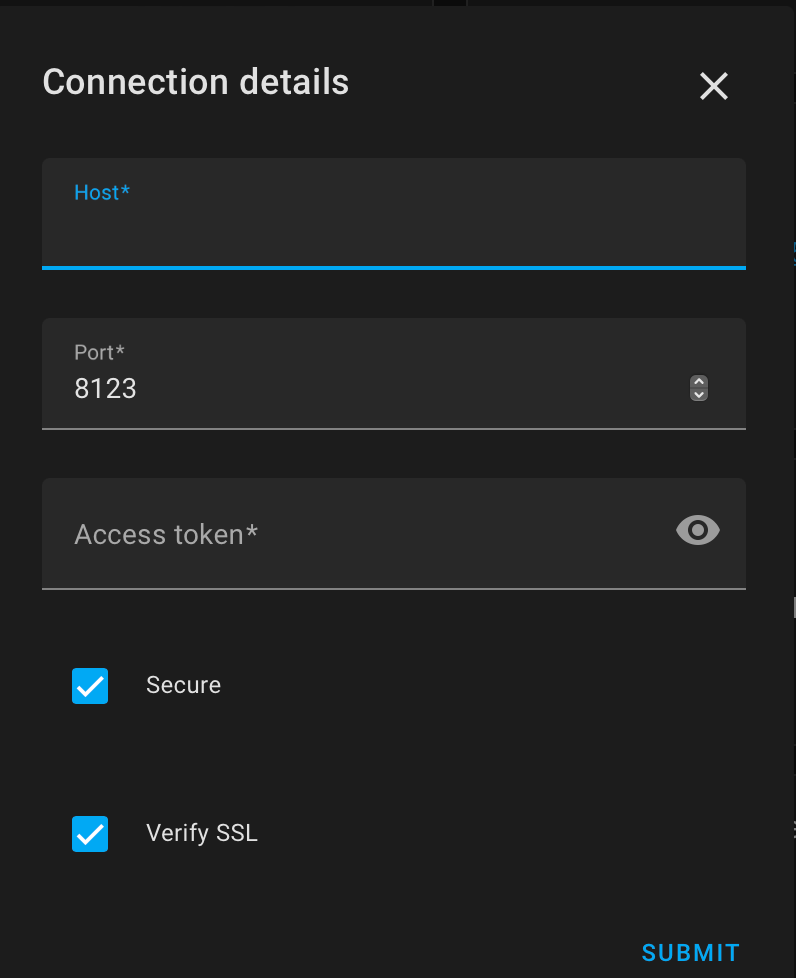
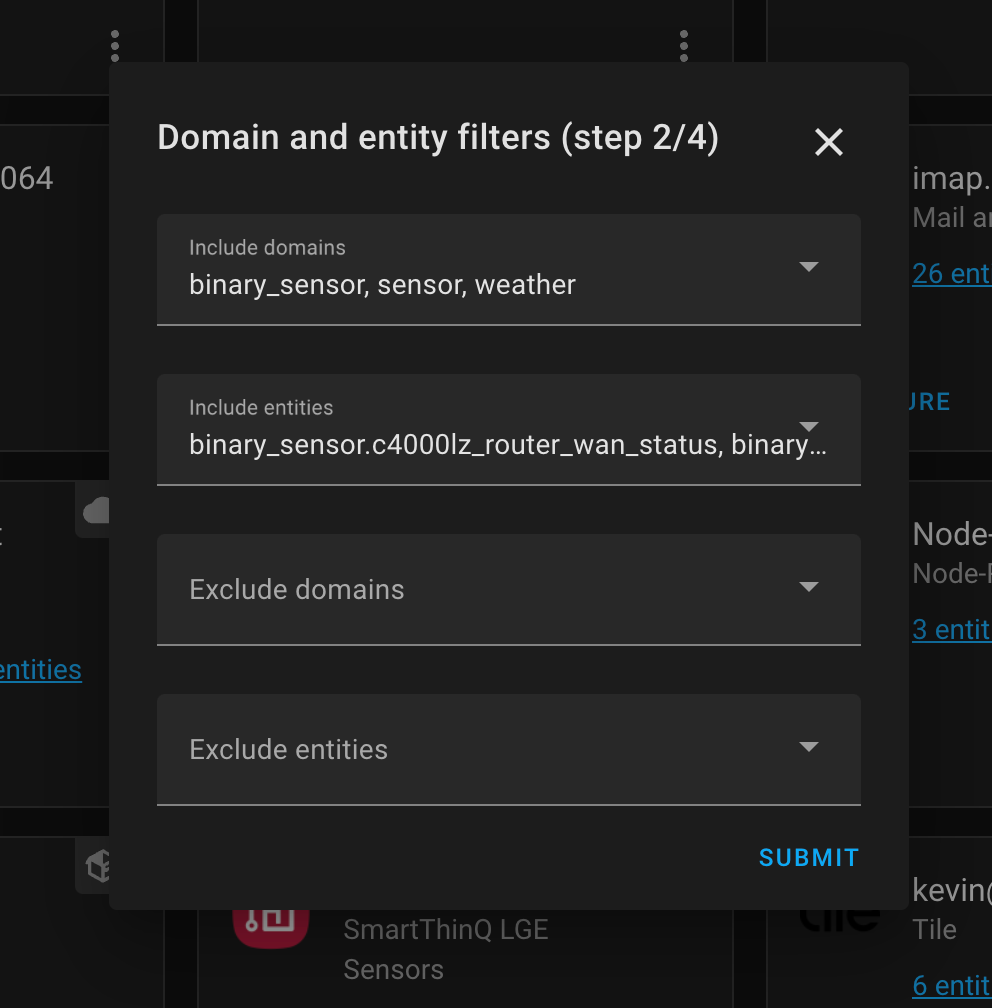
On the central node (“homeassistant”), the configuration flow is different. Add the integration as before, but do not create an access token. Select Add a remote node and click Submit. You are asked for the site name, the address (which can be a name or an IP address), the port, and the access token generated on the remote node. You can enable or disable SSL (and I STRONGLY recommend setting up SSL on the remote if it’s exposed to the internet). After it connects, it prompts you for additional information, such as a prefix for the entities from the remote node (I like to include a trailing “_” character), what entities to fetch, and what to include and exclude. You can get events that can be triggered remotely, like turning on and off switches.
(Kevin Sonney, CC BY-SA 40)
After that, the remote items appear to home assistant like any other item. And you can control them in the same way, as long as you added the correct triggers and entities.
Remote Home Assistant is really useful if you have devices like Bluetooth Low Energy plant sensors that are too far away from the main HASS machine. You can place a Raspberry Pi with HassOS near the plants then use Remote Home Assistant to put them in your central dashboard, and get an alert when they need watering, and so on. Overall, linking together multiple Home Assistant configurations is surprisingly easy, and VERY helpful.
Link together multiple Home Assistant devices with this centralized control panel.

 This work is licensed under a Creative Commons Attribution-Share Alike 4.0 International License.
: Opensource.com Kevin Sonney
Supporting Open Source.
Have you tried: Sailing in Africa ?