
3 open source GUI disk usage analyzers for Linux: 3 open source GUI disk usage analyzers for Linux Don Watkins Fri, 07/15/2022 – 03:00
Several great options for checking disk usage on your Linux system have a graphical interface. Sometimes the visual representation of disk utilization is easier or newer users may not be as familiar with the various Linux commands that display storage information. I am a person who comprehends visual representations more easily than the printout on the command line.
Here are several excellent GUI-based tools to help you understand how your storage capacity is used.
GNOME Disk Usage Analyzer
My Pop!_OS system relies on the GNOME Disk Usage Analyzer, and they call it “Disk Usage Analyzer.”
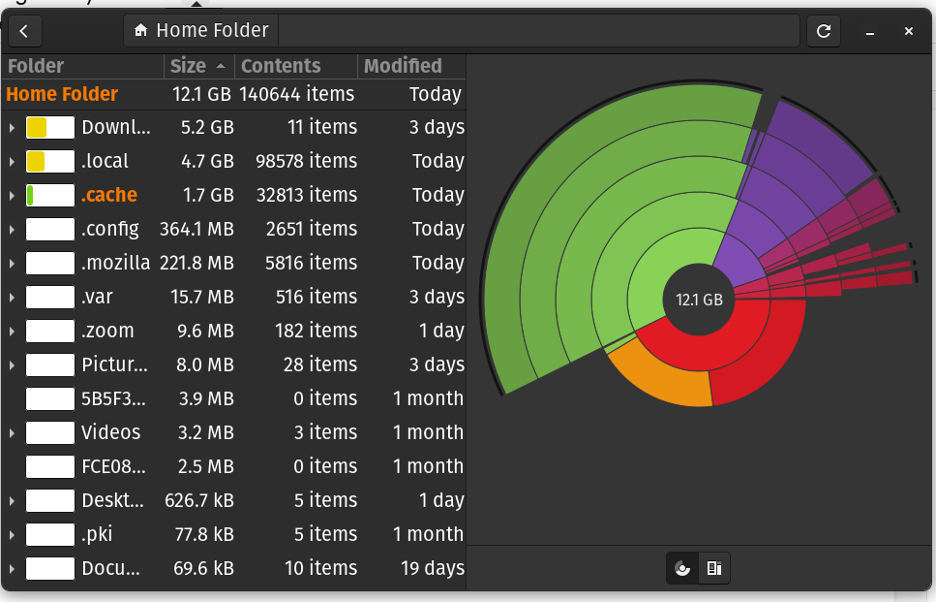
The GNOME Disk Usage Analyzer is also known as Baobab. It scans folders and devices, then reports the disk space used by each item. The graphical representation below is a report on my home directory. I can drill down into each directory by clicking on that item to learn more about the details of the files it contains.
(Don Watkins, CC BY-SA 4.0)
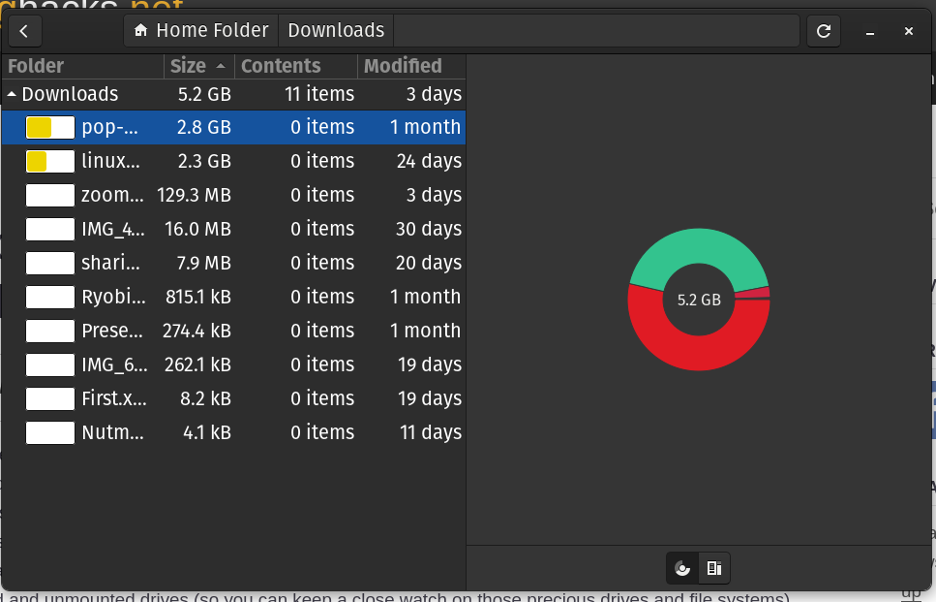
I clicked on my Downloads directory to display how much space files in that directory are consuming on my system.
(Don Watkins, CC BY-SA 4.0)
GNOME Disk Usage Analyzer is licensed with GPL 2.0. It is under continuous development; the latest release was in September 2021.
Filelight
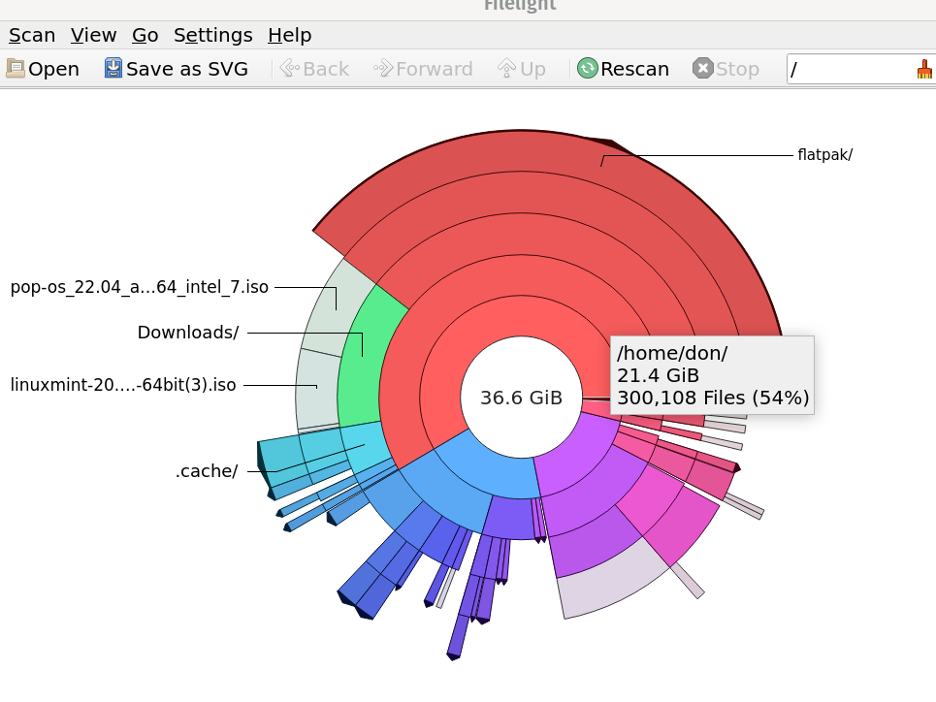
There is another graphical option for the KDE desktop. It is called Filelight, and it provides an interesting graphic of your Linux system. Initially released in 2004, the project has been under continual development. Its latest release was in December 2021, and the source code is available on GitHub under the GNU Free Document License.
Here is a snapshot of my Linux laptop using Filelight.
(Don Watkins, CC BY-SA 4.0)
QDirStat
A third graphical option to consider is QDirStat. It is licensed with GPL v. 2.0 and can be installed on all Linux systems.
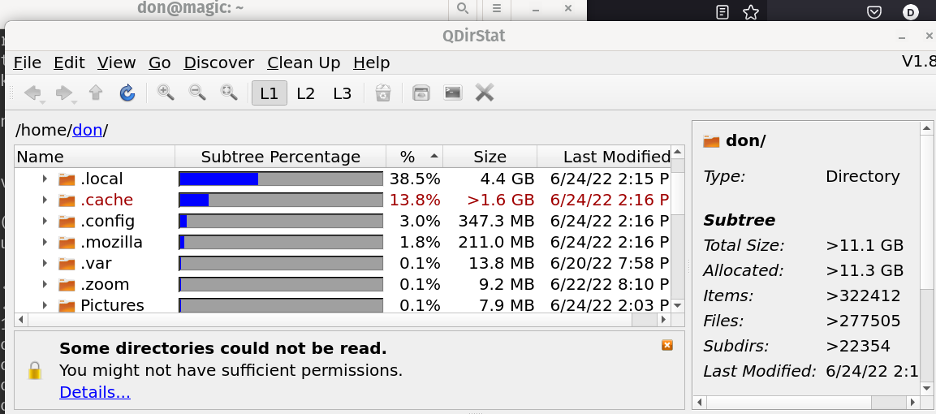
According to its developers, “QDirStat is a graphical application to show where your disk space has gone and to help you to clean it up.” QDirStat is available in packages for Debian, Ubuntu, Fedora, Arch, Manjaro, and SUSE.
(Don Watkins, CC BY-SA 4.0)
I easily installed QDirStat from the command line. It has an intuitive interface and provides a percentage of utilization of your file system.
The terminal
Of course, if you don’t enjoy graphical applications or need text output for a script, there are commands that analyze disk usage, too. The du and ncdu commands are easy to use and provide a different view (but the same information) of your file system.
Wrap up
Today’s storage devices are immense, but it is still necessary to be aware of how that capacity is used on your system. Whether you prefer command-line utilities or GUI tools, there are plenty of options available for Linux. Don’t let storage space issues get you down—start using these tools today!
For people who prefer visual representations, these GUI-based tools help you understand how your storage capacity is used.

Opensource.com
 This work is licensed under a Creative Commons Attribution-Share Alike 4.0 International License.
: Opensource.com Don Watkins
Supporting Open Source.
Have you tried: Diving with Sharks?